
Is My Hearing Aid Broken? Signs You Need Repair
In a town the size of Howell, a quick errand downtown usually turns into
By: Paige Drees, AuD | May 18, 2026
Pollen season has a way of making everything just a little harder to keep clean. If you live in Michigan, you know exactly what we mean. One day, the air is fine, and the next, your car is coated in a yellow film before you’ve even had your morning coffee.
For hearing aid wearers, that same pollen is working its way into the microphone ports, receiver openings and vents every single time you step outside. Add in the dust and debris that comes with time spent outdoors, and it adds up faster than you’d think.
During pollen season, a cleaning routine that works just fine the rest of the year might not be cutting it anymore. Buildup affects sound quality, shortens the life of the technology and can lead to requiring professional repairs that are easy to avoid with a bit of extra attention.
If you’ve spent any time driving down Grand River Avenue in May, you’ve seen the “Michigan gold” coating every storefront. While Thompson Lake and our local parks are beautiful as they come back to life, the rapid transition through oak, maple and pine cycles creates a relentless fine dust.
This yellow dust covers everything from your car windshield to your porch furniture in a thick layer. When you spend time outdoors at Thompson Lake or walking downtown, that same fine powder settles on the small openings of your hearing devices.
The humidity coming off the Great Lakes adds another layer of difficulty to the season. When the air gets heavy with moisture, that dry tree pollen turns into a sticky, microscopic paste.
This substance can easily coat the small ports where sound enters, making voices sound muffled or distant. You might need to wipe down the outer casing more often to prevent this buildup from blocking the microphones during a humid Livingston County afternoon.
The physical shape of your device determines how it interacts with the wind and floating debris.
For instance, models that sit tucked behind the ear have more surface area exposed to the elements, while those that sit inside the canal are shielded by your outer ear but more vulnerable to internal clogs.
This difference in design means that the cleaning routine for one person might look very different from their neighbor’s. Taking a moment to look at your device from a few different angles can help you spot where tree dust likes to hide.
Every major hearing aid style has specific areas that require extra attention during the heavy pollen months:
When the sound suddenly changes, it’s easy to think something’s wrong with your hearing or that your device is failing.
You might notice voices sound off or that conversations feel harder to follow than they did a few days ago. Noticing small changes in appearance or sound can help you catch an issue early:
After a day outside, it doesn’t take much for dust and pollen to settle onto your devices. It can come from your skin, your hair, even your clothes and it builds up faster than you think. Wiping them down before bed helps keep that from settling in overnight.
It’s a small step, but it can save you from waking up to sound that’s off or not working the way it should.
You should always start by washing and drying your hands to avoid transferring skin oils or outdoor grit to the sensitive parts of the device. Using a soft, dry cloth to wipe down the entire outer surface will remove any lingering film that gathered during the day.
After that, you can use a small brush to gently sweep over the microphone ports and vents to dislodge loose particles. A closed protective case or a dehumidifier is ideal for storage and keeps them away from household dust and moisture while you sleep.
Not everything you have at home is safe to use on hearing devices. Things like tissues, paper towels or clothing can leave behind lint or push debris further into small openings. Water is also a problem since even a small amount can work its way into parts that are not meant to get wet.
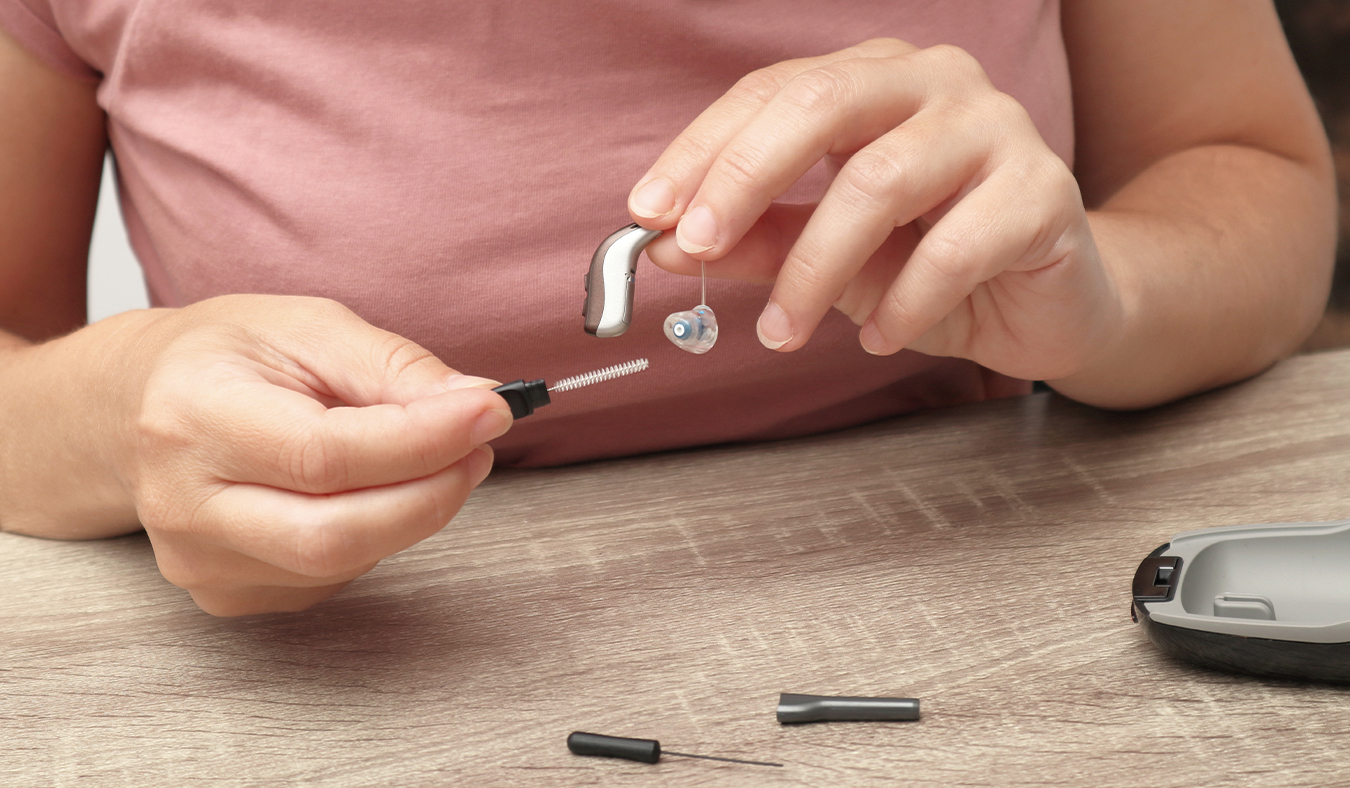
Instead, it helps to stick with tools made for the job. A soft cleaning brush is useful for gently clearing away buildup around openings without forcing anything inside. A dry, lint-free cloth can handle the outside surfaces without leaving residue behind.
A drying jar is another simple but important tool. After daily use, it helps pull out moisture and loosen tiny particles that a cloth or brush might miss. That extra step can make a noticeable difference in how reliably your devices perform.
When the humidity rises, the fine dust from local trees can mix with natural earwax to create a gummy substance. Taking a proactive approach prevents this grit from turning into a solid plug that might require a professional to remove.
You must use the right technique to clear these small openings without causing more damage to the internal components. Standard cleaning tools are very effective if you use them with a light touch and the correct motion.
You can maintain your hearing aids safely by following this specific cleaning method:
The small wax guards and filters inside your devices act as a frontline defense against environmental debris. While many people follow a standard schedule for replacing these parts, the heavy presence of tree pollen often requires a different approach.
During the weeks when the air is thick with dust, these filters can become saturated much faster than usual. Swapping them out every two weeks instead of once a month can prevent a significant drop in sound quality during the height of the season.
You should pay close attention to how much effort it takes to hear clearly as the pollen counts fluctuate. If the audio starts to feel thin or weak even after a surface cleaning, the internal filter is likely the culprit.
Waiting too long to change these small components can lead to a complete blockage that stops sound from reaching your ear altogether.
There are times when home cleaning is not enough to maintain your technology during pollen season. If sound remains muffled, visible buildup will not come off or you notice more whistling or device shut-offs, it may be time to seek help from your audiologist.
Professional deep cleaning can address problems that simple tools cannot fix. Your audiologist will use equipment designed to safely clean delicate parts and check for any damage caused by pollen or dust.
If you see moisture inside the battery compartment or have concerns about battery life, professional cleaning may be needed to restore performance.
You put a lot of trust in your hearing aids every day, and pollen season is one of those times when that trust gets tested a little more than usual. Cleaning your devices during these weeks is one of the easiest ways to protect them and keep them working optimally.
If you’ve noticed any changes in sound quality or you’re not sure your current routine is cutting it, our team is happy to walk you through it.
Give us a call at Advanced Hearing of Brighton at (810) 355-2245 and we’ll make sure your technology remains in the best possible shape heading into the rest of the season.
Tags: hearing aid basics, hearing aid repair, hearing aid styles
In a town the size of Howell, a quick errand downtown usually turns into
By: Paige Drees, AuD | October 27, 2026

If your family’s been out at the Livingston County Fair or spending
By: Paige Drees, AuD | August 24, 2026
Pollen season has a way of making everything just a little harder to keep
By: Paige Drees, AuD | May 18, 2026